On-device review
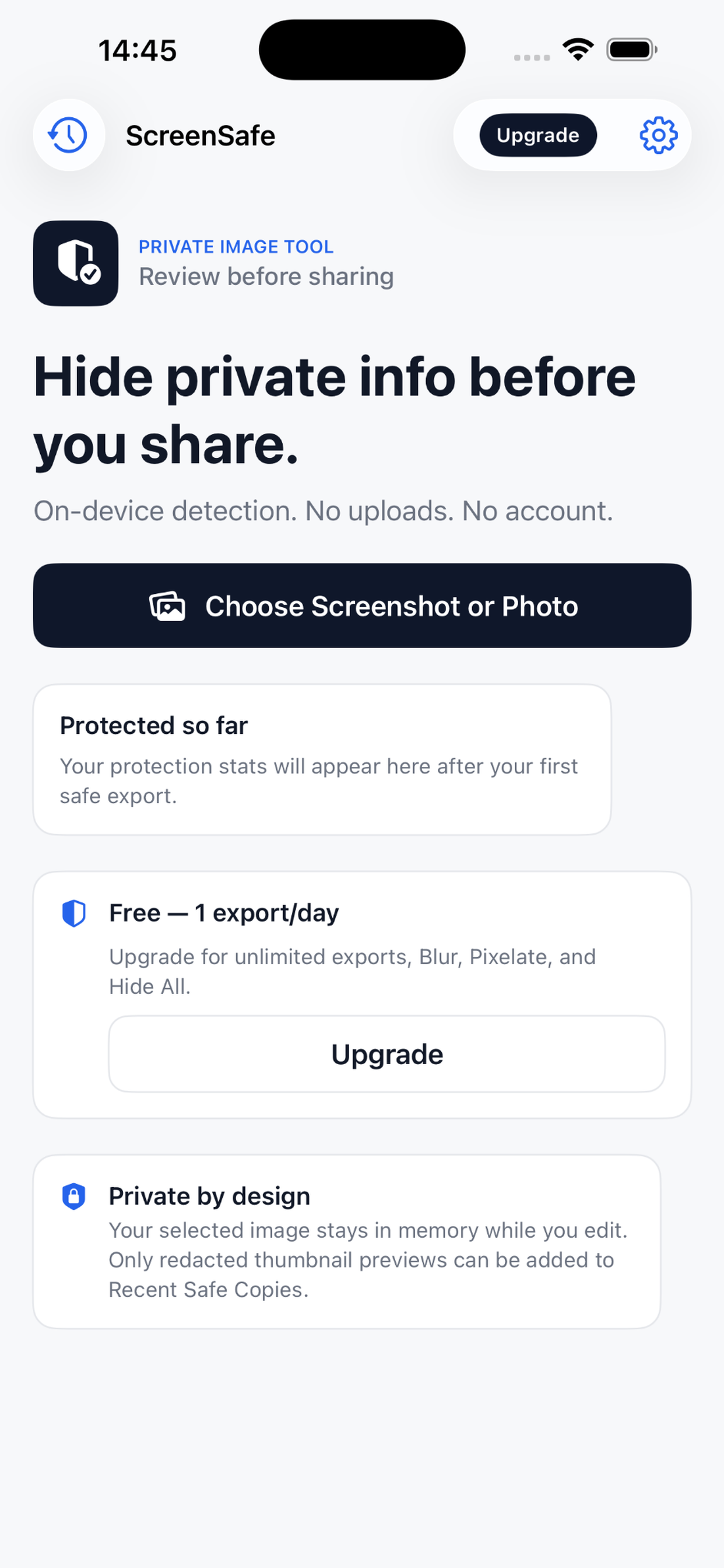
Your selected image stays on your device while ScreenSafe processes it.

On-device privacy, by design
ScreenSafe helps you review screenshots and photos, hide private details, and export a flattened safe copy.
Available now on the App Store
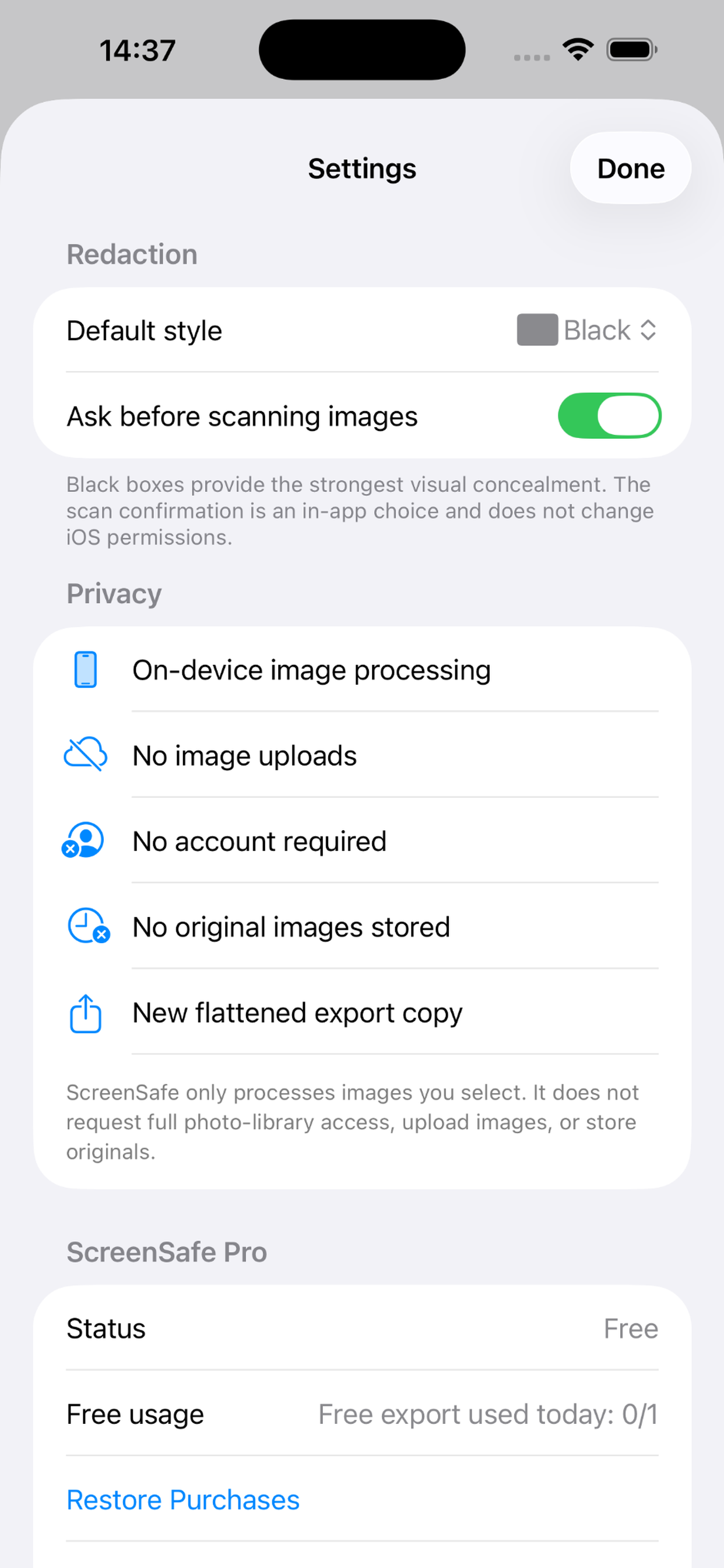
On-device. No account. No image uploads.
Automatic detection is a helpful first pass, not a guarantee. Review the final image before sharing.
See it in action
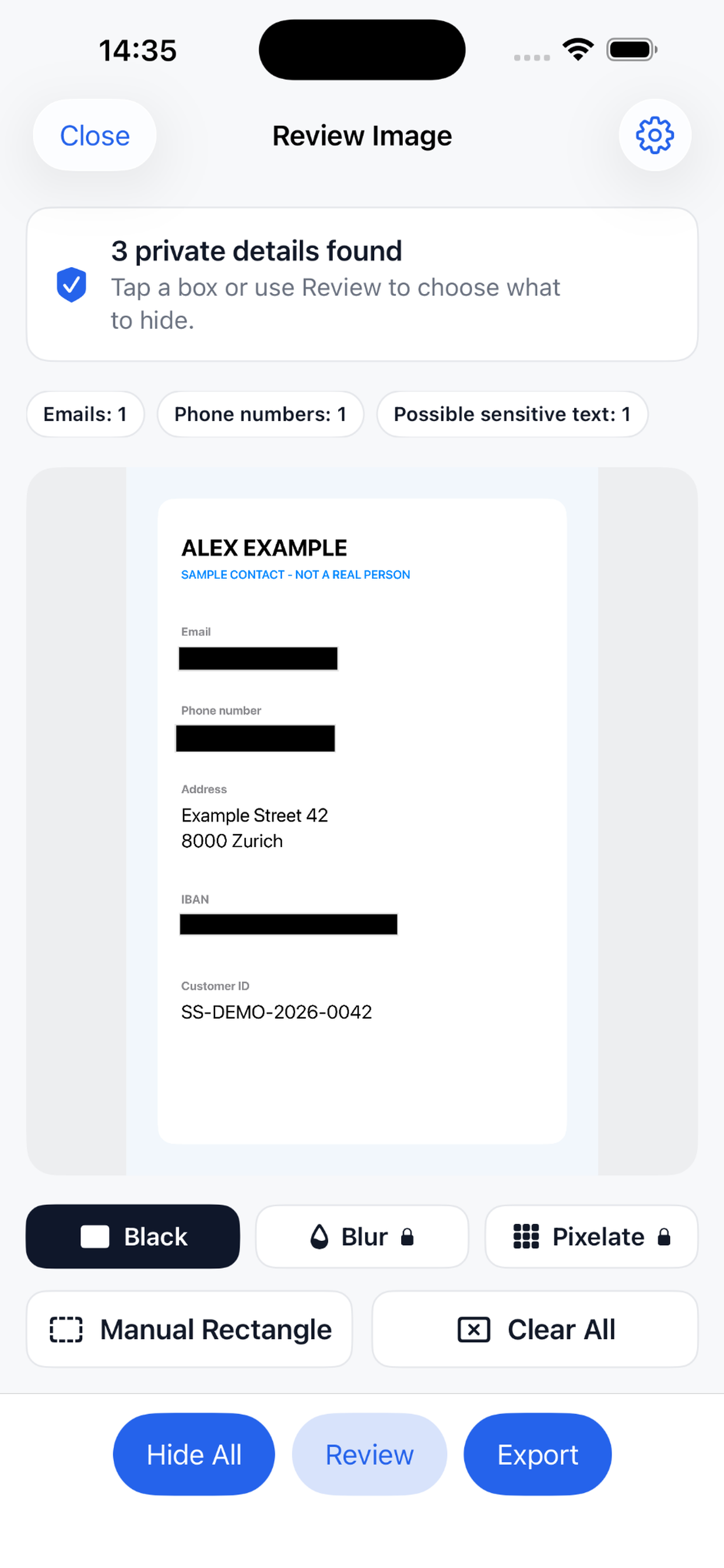
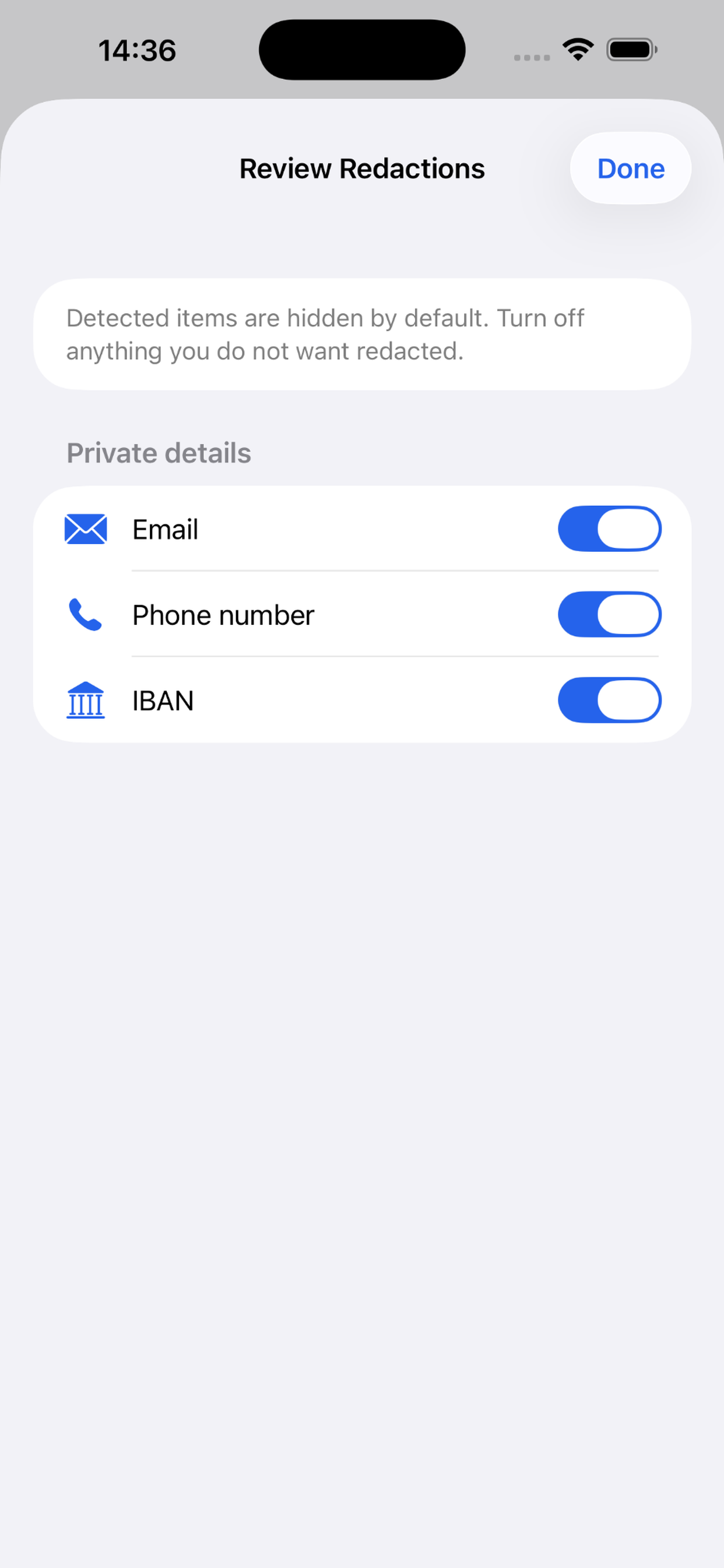
Select an image, review suggested redactions, adjust anything you need, then export a new flattened copy.
Made for careful sharing
ScreenSafe keeps the workflow focused on the image you selected and the copy you choose to export.
Your selected image stays on your device while ScreenSafe processes it.
Automatic detection provides a helpful first pass for private details.
Review every suggestion, add rectangles, and choose what remains hidden.
Redactions are applied to a new flattened copy for sharing.
There is no ScreenSafe sign-up, profile, or backend account.
ScreenSafe does not upload your selected images to a developer-operated server.
Private by design
ScreenSafe processes only images you select. Original unredacted images are not stored by ScreenSafe, and optional local history contains only redacted thumbnail previews.
Read the Privacy PolicyStraightforward access
Purchases are handled by Apple. Monthly Pro is optional and can be managed in Apple ID subscription settings.
Free
Lifetime Pro
Monthly Pro
Common questions
Yes, ScreenSafe is available now on the App Store.
No. Images are processed on-device and are not uploaded to ScreenSafe or a developer-operated server.
No. ScreenSafe does not create user accounts.
No. Automatic detection is a helpful first pass. Always review the full image before sharing.
Pro unlocks unlimited exports, Blur, Pixelate, and Hide All without the free daily limit.
No. The website does not use analytics cookies, advertising cookies, tracking pixels, or third-party scripts.
Yes. Open ScreenSafe and choose Settings, then Restore Purchases.
Email niclasmerz200@gmail.com or visit the support page.